








Best Omnichannel Inventory Management Software: 2026 Comparison Guide
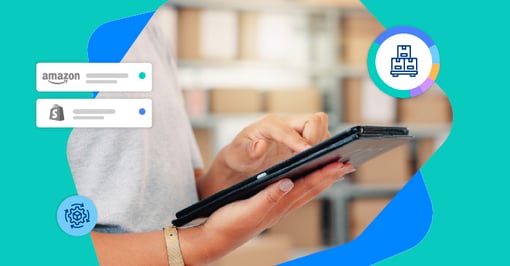
Selling across multiple channels is great for revenue. That is, until your inventory counts start telling different stories depending on where you look. That's when overselling happens, customers get frustrated, and your team spends more time putting out fires than growing the business.
Omnichannel inventory and order management software solves this by keeping stock levels synchronized everywhere you sell, in real time. This guide compares the top platforms for 2026, breaks down the features that actually matter, and walks you through how to choose the right one for your business.
Key Takeaways
- Omnichannel inventory management keeps your stock levels synced in real time across every channel you sell on, so you see one accurate count instead of five conflicting ones.
- Multichannel means you sell in multiple places. Omnichannel means those places are connected and talk to each other.
- The biggest challenges are data silos, inventory accuracy, returns and reverse logistics, integration complexity, and storage costs.
- The best platform depends on your size, complexity, and growth plans. Cin7 is best for scaling multi-channel brands who've outgrown spreadsheets but don't want a full ERP.
- Industry research suggests syncing siloed inventory data by hand can eat around 16 hours a week per employee, so automation pays for itself fast.
What Is Omnichannel Inventory Management Software
Omnichannel inventory management software keeps your stock levels synchronized across every place you sell: your online store, Amazon, retail locations, wholesale accounts, and anywhere else customers can buy from you. When someone purchases an item on Shopify, the software updates your available inventory on eBay, in your warehouse system, and across all your other channels. This real-time sync prevents overselling and gives you one accurate view of what you actually have.
Without this kind of software, you're essentially running separate businesses that don't talk to each other. Your website might show five units available while your warehouse only has three, and meanwhile someone just bought two in your retail store. That's how you end up apologizing to customers and issuing refunds.
How Omnichannel Inventory Management Works
The system connects to each platform where you sell through integrations, which are direct links between your inventory software and places like Amazon, Shopify, WooCommerce, or your point-of-sale system. Data flows both directions: orders come in, and updated stock counts go out.
Here's what happens when a customer places an order:
- Order capture: The software receives order details from whichever channel the sale came through.
- Inventory adjustment: Stock counts update everywhere you sell.
- Fulfillment routing: The order gets assigned to the best location for shipping.
All of this feeds into a centralized inventory dashboard where you can see inventory across every warehouse and channel at once. No more logging into Amazon Seller Central, then Shopify, then your warehouse system just to figure out how many units you have left.
Omnichannel vs. Multichannel Inventory Management
Here's the short version: multichannel means you sell in more than one place, while omnichannel means those places are connected and share the same live inventory. You can be multichannel without being omnichannel, but you can't be omnichannel without software syncing everything together. The difference shows up fast when a customer buys your last unit and every channel updates at the same moment.
| Approach | How Channels Connect | Real-Time Sync |
|---|---|---|
| Multichannel | Separate systems that don't talk to each other | No |
| Omnichannel | Connected systems sharing one source of truth | Yes |
Best Omnichannel Inventory Management Software Compared
The right platform depends on your business size, how complex your operations are, and where you're headed. Some options work better for manufacturers, others for pure e-commerce sellers, and others for businesses with heavy wholesale operations. Below, we compare the best inventory management software options for omnichannel selling.
| Software | Best For | Key Strength | Notable Integrations |
|---|---|---|---|
| Cin7 | Scaling multi-channel brands | 700+ integrations, AI forecasting | Amazon, Shopify, QuickBooks, Xero, Walmart |
| NetSuite | Large enterprises | Full ERP capabilities | Broad enterprise ecosystem |
| Brightpearl | Retail-heavy operations | Retail operations focus | Shopify, Magento, BigCommerce |
| Katana | Manufacturers | Production planning | Shopify, WooCommerce, Xero |
| Extensiv | 3PL-dependent brands | Fulfillment network management | Multiple 3PL connections |
| Zoho Inventory | Budget-conscious small businesses | Affordable Zoho ecosystem | Zoho apps, Amazon, eBay |
| Ordoro | Small e-commerce sellers | Shipping + inventory combo | Shopify, Amazon, eBay |
Cin7
Cin7 is best for scaling multi-channel brands who've outgrown spreadsheets and basic tools but don't want the complexity of a full ERP. We built our IMS for exactly that middle ground. With over 700 integrations, including Amazon, Shopify, Walmart, QuickBooks, and Xero, you can connect your entire operation without custom development. Our AI-powered demand forecasting helps you stock smarter, and our platform scales as you grow.
NetSuite
NetSuite is a full enterprise resource planning system with inventory management built in. It handles financials, CRM, and inventory all in one place, which makes it powerful for larger organizations. The tradeoff is complexity and cost. You'll likely need dedicated IT resources to manage it.
Brightpearl
Now owned by Sage, Brightpearl focuses on retail operations. It works well for brands running a mix of wholesale and direct-to-consumer sales, though it leans more toward retail than manufacturing.
Katana
Katana shines for makers and manufacturers who need production planning alongside inventory tracking. If you're assembling products or managing bills of materials, it's worth a look.
Extensiv
Formerly known as Skubana, Extensiv specializes in managing fulfillment across multiple 3PL (third-party logistics) partners. If you're outsourcing warehousing and working with several fulfillment centers, this is where it excels.
Zoho Inventory
For smaller businesses already using Zoho's suite of apps, Zoho Inventory offers an affordable starting point. It handles the basics well, though you may outgrow it as your operation gets more complex.
Ordoro
Ordoro combines shipping and inventory management for smaller e-commerce operations. It's lightweight and straightforward. It's great for getting started, less ideal for multi-location setups.
Key Features of Omnichannel Inventory Management Systems
Not every platform offers the same capabilities, so knowing what to look for helps you compare options more effectively. Strong e-commerce inventory management starts with the features below.
Real-Time Inventory Synchronization
Without real-time sync, you're always a few steps behind your actual inventory. A customer buys your last unit on Amazon, and five minutes later someone else orders it on Shopify because the count hasn't updated yet. Now you're sending apology emails and issuing refunds instead of fulfilling orders.
Multi-Location and Warehouse Management
If you store stock in more than one spot, you need to see each location clearly or things slip through the cracks. If you're storing inventory in multiple warehouses, retail locations, or fulfillment centers, look for features like transfer management between locations, location-specific stock levels, and picking and packing workflows.
Channel Integrations and Marketplace Connectivity
The more native integrations a platform offers, the less setup pain you'll feel. Pre-built connections to Amazon, Shopify, eBay, Walmart, WooCommerce, and BigCommerce save you from expensive custom development. Before committing to any platform, verify that your specific channels are supported.
Order Management and Fulfillment Routing
Good routing quietly saves you money on every order by shipping from the smartest location. Smart order routing sends each order to the best fulfillment location, maybe the warehouse closest to the customer, or the one that actually has the item in stock. This reduces shipping costs and speeds up delivery. A capable multichannel order management system can also support buy-online-pickup-in-store (BOPIS) options.
Demand Forecasting and Automated Replenishment
The right forecasting means you reorder before you run out, not after a customer notices. Historical sales data can tell you a lot about what you'll need next month. Better systems use this data, and increasingly, AI, to predict demand and automatically generate purchase orders through retail demand forecasting. No more "we forgot to reorder" emergencies.
Reporting and Analytics
You can't improve what you can't measure, so strong reporting is non-negotiable. Look for dashboards that show sell-through rates, dead stock, channel performance, and inventory turnover. The best insights come from seeing all your data in one place rather than piecing together reports from different systems.
Challenges of Omnichannel Inventory Management
Even with the right software, going omnichannel comes with a few hurdles worth planning for. Here are the big ones you'll want on your radar.
- Data silos: When channels and systems don't share information, you get conflicting counts and blind spots that lead to bad decisions.
- Inventory accuracy: Keeping counts correct across every location and channel gets harder as order volume and complexity climb.
- Returns and reverse logistics: Getting returned items back into available stock cleanly is tricky, and sloppy handling ties up sellable inventory.
- Integration complexity: Connecting e-commerce, accounting, POS, and marketplace tools can get messy fast without strong native integrations.
- Storage costs: Spreading inventory across multiple locations improves delivery speed but adds warehousing and carrying costs you'll need to manage.
Benefits of Using Inventory Management Tools for Omnichannel Retail
Eliminate Overselling and Stockouts
Real-time accuracy means you're only ever selling what you actually have. Customers get what they ordered, and you're not scrambling to issue refunds or source emergency inventory from somewhere else. This kind of accuracy is the backbone of omnichannel retail.
Save Time with Automation
Automation hands your team back the hours they'd otherwise lose to manual updates every week. Industry research suggests manual, multi-channel inventory work can cost a business roughly $21,000 a year per entry-level employee doing the job. Automated inventory management handles the repetitive work, syncing stock counts, updating listings, and triggering reorders, so your team can focus on activities that actually grow the business.
Scale Without Adding Headcount
The right software absorbs new complexity so you can grow without growing your payroll. As you add channels and increase order volume, complexity grows fast. Good software absorbs it, so you're not hiring extra staff just to keep up with data entry and spreadsheet management.
Improve Customer Experience Across Channels
Accurate stock info means customers see what's genuinely available, which builds trust. Orders ship faster. Returns from "sorry, that's out of stock" situations drop. It's a better experience for everyone involved.
Gain Full Visibility into Your Supply Chain
One dashboard shows you inventory across every location and channel at a glance. No more logging into multiple systems or calling the warehouse to ask "do we actually have this in stock?"
Omnichannel Inventory Management System Pricing and Costs
Inventory management system costs vary widely across platforms, and the monthly subscription rarely tells the whole story.
Common Subscription Pricing Models
Most platforms use one or more of the following structures:
- Per-user pricing: More team members means higher monthly costs.
- Order volume tiers: You'll pay more as your order count grows.
- Feature-based tiers: Basic, professional, and enterprise levels with different capabilities.
- Channel add-ons: Some platforms charge extra for specific marketplace connections.
Hidden Costs to Watch For
Before signing any contract, ask about implementation and onboarding fees, training costs, premium integrations that aren't included in base pricing, data migration from your current system, and overage fees if you exceed your order tier mid-month. Adding up all of these gives you a more accurate picture of what you'll actually spend.
How to Choose the Right Omnichannel Inventory Management Software
1. Assess Your Current Pain Points and Growth Goals
Start with what's broken today. Are you overselling? Spending too much time on manual updates? Lacking visibility into what's actually in stock? Then think about where you want to be in two to three years. Your current challenges and future plans will help narrow down your shortlist.
2. Prioritize Your Integrations
List every platform you currently use: e-commerce, accounting, POS, marketplaces, shipping carriers. Then verify that native integrations exist for each one. Don't assume a platform connects to everything; confirm directly with vendors before moving forward.
3. Evaluate Scalability and Flexibility
Will this platform grow with you? Can it handle more channels, additional warehouses, or international expansion? Look for flexibility that doesn't require a complete system change when you hit the next growth stage.
4. Request Demos and Run a Pilot
Never buy from a sales deck alone. Get hands-on with your actual data and workflows. Set specific criteria for what success looks like during a trial period, and involve the team members who'll actually use the system day-to-day.
5. Calculate Total Cost of Ownership
Add up subscription fees plus implementation plus training plus integrations plus ongoing support. Compare apples to apples across vendors. The cheapest monthly fee isn't always the best value when you factor in everything else.
Simplify Your Omnichannel Operations with the Right IMS
The right omnichannel inventory management software removes friction from your daily operations and frees you to focus on what actually grows your business. Whether you're managing two channels or twenty, real-time visibility and automation make the difference between scaling smoothly and drowning in complexity.
Our customers feel that shift quickly. Instead of losing whole afternoons reconciling stock across channels, they tell us their inventory just syncs, and they finally trust their numbers. That's the kind of breathing room the right IMS gives you.
Ready to see how Cin7 can streamline your operations? Get a demo and we'll show you how it works for businesses like yours.
FAQs About Omnichannel Inventory Management Software
What's the Difference Between Omnichannel and Multichannel Inventory Management?
Multichannel means you're selling on multiple platforms. Omnichannel means those platforms are connected. Your inventory syncs in real time, and customers get a consistent experience regardless of where they shop. You can be multichannel without being omnichannel, but you can't be omnichannel without software connecting everything together.
How Long Does Omnichannel Inventory Software Implementation Typically Take?
It depends on your complexity. Simpler setups with a few channels and one warehouse might be live in a few weeks. Businesses with multiple locations, dozens of integrations, and significant data migration could take several months. Ask vendors for realistic timelines based on your specific situation.
Can Omnichannel Inventory Software Handle Returns and Reverse Logistics?
Most platforms include returns processing, though capabilities vary. Look for features that route returned items back into available inventory, flag items for inspection, or handle exchanges. If returns are a significant part of your operation, dig into this during demos.
Which Integrations Are Most Important When Choosing Omnichannel Inventory Software?
Start with your accounting software (QuickBooks, Xero), your primary sales channels (Shopify, Amazon, your POS), and any warehouse or shipping tools you rely on daily. These are the connections you'll use constantly. Everything else is secondary.
How Do You Measure ROI After Implementing Omnichannel Inventory Management?
Track the metrics that matter to your business: reduction in stockouts and overselling, time saved on manual tasks, order fulfillment speed, inventory accuracy rates, and whether you're scaling without proportionally adding headcount. Most businesses see clear improvements within the first few months of implementation.
What Is Omnichannel Inventory Management in Simple Terms?
In plain terms, it's keeping one accurate stock count that stays in sync everywhere you sell. When a sale happens on your website, Amazon, or in a store, every other channel updates at the same time, so you never promise something you don't have. Think of it as one source of truth instead of five separate spreadsheets arguing with each other.
How Should Store Inventory Be Managed in an Omnichannel Setting?
Treat each store as a connected node in one shared inventory pool, not as its own island. That means real-time counts per location, the ability to transfer stock between stores and warehouses, and fulfillment options like ship-from-store or buy-online-pickup-in-store. With an IMS handling the sync, your team sees exactly what's on each shelf without calling around to check.
What's the 80/20 Rule in Inventory Management?
The 80/20 rule says roughly 80% of your revenue tends to come from about 20% of your products. Once you know which items drive the most sales, you can prioritize them for tighter forecasting, faster reordering, and better shelf placement, while keeping slower movers lean. It's a simple way to focus your attention (and your cash) where it actually pays off.
What Are the Four Types of Inventory Management?
The four common types are raw materials, work-in-progress, finished goods, and MRO (maintenance, repair, and operations) supplies. Raw materials become products, work-in-progress covers items still being made, finished goods are ready to sell, and MRO keeps your operation running behind the scenes. Knowing which buckets you're carrying helps you track costs and reorder the right things at the right time.
Can You Give an Example of Omnichannel Merchandising?
Sure. Picture a shopper who browses a jacket on your app, checks stock at a nearby store, buys it online, and picks it up that afternoon, with your inventory updating at every step. That connected experience only works when your online and in-store systems share the same live data, which is exactly what an IMS keeps in sync for you.
Kenny Freeman
Kenny Freeman is a Denver-based Sales Engineer with over 9 years of experience in technical sales, implementation, and operations. He specializes in aligning cross-functional teams to streamline processes and consistently exceed performance targets. Kenny’s strategic, results-driven approach has led to improvements in...
More from the blog
View All Posts
What Is Centralized Inventory Management Software?
Read More
Multichannel Order Management System: The Complete Guide
Read More