






One of the key requirements for running a successful product-based business is having strong and efficient control over your inventory.
Most small and medium-sized business owners rely on this process, which is why many invest in comprehensive inventory management software that centralizes data, automates workflows, and offers real-time inventory and stock management. Because inventory touches every team—from purchasing to fulfillment—choosing the right system has a significant impact on costs, service levels, and growth capacity.
But what is the real cost of choosing the best inventory management software for your business? What factors affect how much you pay? Can using an integrated solution like Cin7 lower your total cost of ownership over time?
To put these costs in context, remember that inventory management is part of a broader operations strategy; linking to your core inventory management strategies helps ensure system choices support company-wide goals.
If you’re comparing vendors, you can also review our inventory management software and explore its features to see how the platform's capabilities align with your needs.
What Goes Into the Cost of an Inventory Management System
Before you can decide which inventory management software (IMS) is right for your business, it’s important to understand the different cost components that make up your total investment, both at the beginning and over time.
Software or Licensing Fees
These are the charges for the right to use the inventory management software or platform.
For cloud-based systems, this takes the form of subscription fees. These are recurring charges, typically billed monthly or annually, that grant access to the software over the internet. Pricing depends on several factors, including the number of user licenses, transaction volume (measured by orders or items processed), and the level, type, or number of features selected.
For on-premise systems (installed on your own hardware), the cost is usually a large, one-time licensing fee that grants permanent usage rights. While this eliminates recurring subscriptions, it requires a larger upfront investment. Because upgrades and security patches become your responsibility on-premise, factor in ongoing IT costs into your budget.
Hardware Costs
Hardware costs encompass any physical equipment necessary to operate the system, particularly in warehouses or retail settings. Typical items include barcode scanners, label printers, tablets, or mobile devices for staff. On-premise setups may also require servers and networking equipment. These are typically one-time or occasional costs depending on your setup. When planning rollouts across sites, standardizing device types can reduce maintenance and training costs.
Integration Costs
If the inventory management system needs to connect with other software, you may also need to budget for integration costs. This could involve linking to accounting software, e-commerce platforms, ERP systems, or CRM tools. Costs may include setup, configuration, or custom development to ensure smooth and automatic data flow between systems.
Choosing a platform with extensive out-of-the-box integrations can minimize or even completely eliminate this expense. For example, Cin7, an advanced integrated inventory management solution for SMBs, offers built-in connectivity with over 700 business tools. This allows you to unify your entire tech stack without the expense or hassle of custom development or long setup times. Because these integrations are native, you’ll generally see faster time-to-value and fewer ongoing connector costs.
Maintenance Costs
Maintenance expenses cover the ongoing work required to keep an inventory management system running smoothly. For cloud-based solutions, routine updates and patches are typically included in the subscription fee, so there is little additional cost beyond your plan.
On-premise systems, however, require dedicated IT resources to handle updates, security patches, and system performance monitoring. Businesses may need to budget for internal staff time or hire external IT consultants, which can become a recurring expense depending on system complexity and size. If your team is lean, SaaS can lower both risk and hidden maintenance spend.
Main Factors That Affect Your Total Cost
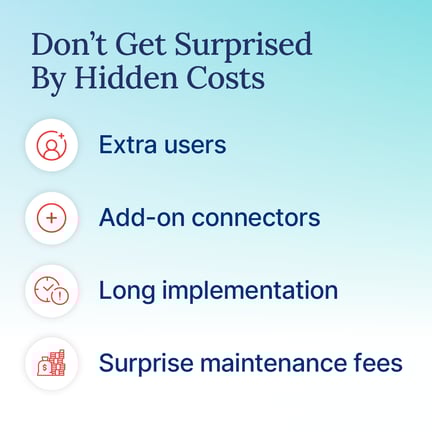
The total costs of implementing and running an inventory management system depend largely on your business’s size, operational complexity, and specific needs. Several key factors influence the amount you’ll ultimately spend.
Number of Users
Many IMS vendors charge per user. In this model, you pay a fixed rate for every person who needs a login to the system. For example, a platform might charge $50 per user per month. If you have five warehouse managers or sales staff who need access, your monthly bill would be $250.
Other providers offer tiered plans that cover a set number of users. For example, a plan may allow access for up to 10 users, after which you need to upgrade to a higher tier. Therefore, the higher the number of users, the higher the cost of your inventory management system. Because user counts tend to grow, forecast future headcount to avoid surprise tier jumps.
Number of Locations
The number of locations using the system can also affect pricing. Some on-premise solutions charge per location or per device, meaning that each warehouse, store, or distribution center incurs additional licensing or hardware costs.
Cloud-based systems are generally more flexible, allowing you to scale by adding users or upgrading plans rather than paying per location. This approach can be more cost-efficient when managing multiple sites. If you operate seasonally, SaaS enables you to scale capacity up or down without incurring sunk costs for hardware.
Type of Solution
Inventory management systems can be deployed as standalone solutions or as part of a broader enterprise system such as an ERP.
Standalone systems focus exclusively on inventory management and are generally faster to deploy and less expensive upfront. ERP-integrated solutions offer broader functionality across accounting, procurement, and sales management, but come with higher implementation costs. Where speed matters, a focused IMS can deliver ROI sooner, even if you integrate with ERP later. This is particularly beneficial for those looking to enhance their inventory management software within a supply chain framework. Moreover, employing a warehouse management system (WMS) within your IMS can yield substantial business improvements by optimizing storage and inventory processes.
Deployment Method
The type of deployment will also affect the total cost of ownership. On-premise systems require upfront investment in hardware, software licenses, and IT infrastructure, as well as ongoing maintenance costs. This can make the initial setup expensive, though the long-term ownership cost may be lower if you plan to use the system for many years.
Cloud-based or Software-as-a-Service (SaaS) systems, on the other hand, usually operate on a subscription model. That means lower initial costs, as you don’t have to purchase expensive physical infrastructure; however, the recurring monthly or annual payments can add up over time. Because pricing is OPEX rather than CAPEX, finance teams can align spend with growth milestones.
Customization Requirements
The degree of customization required is another factor that can affect costs. Off-the-shelf systems are designed to work with standard business processes and are priced accordingly. However, if your business has highly unique workflows, a significant degree of customization may be necessary. The more a system needs to be tailored to fit your specific operational needs, the higher the total cost of implementation. Before customizing, check whether native workflows or minor process changes can achieve the same outcome.
Features and Functionality
Naturally, the greater the number or the more advanced the features in the software, the higher the cost. Many providers offer tiered plans, with essential features like stock tracking and reporting on lower tiers, and advanced ones like demand forecasting, automated reordering, barcode or RFID tracking, and analytics on higher tiers.
If you’re just starting out, a lower-tier plan can cover your basic needs, with the option to upgrade as your business grows. As complexity increases, upgrading features often proves more effective than building bespoke add-ons.
Customer Support Options
The level of customer support included in the plan can also impact pricing. Most vendors will provide basic support options, such as email or access to a knowledge base, free of charge. Premium options may offer your organization greater flexibility, providing a tailored approach suitable for various business models in retail and manufacturing alike. However, premium support, including dedicated account managers, 24/7 live assistance, or faster response times, typically comes at an additional cost.
If your organization has complex operations or a limited IT staff, you may find that premium support is worthwhile in minimizing downtime and operational risks. Because every hour of outage has a cost, faster SLAs can pay for themselves.
Average Inventory Management System Pricing by Business Type
Depending on the size of your business, here’s generally what you can expect to pay for an inventory management solution. Please note that these are only general averages. Always consult directly with vendors for a detailed quote based on your specific operational needs.
|
Business Type |
Typical Monthly Cost (Software Only) |
Key Features Included |
|
Small Businesses & Startups |
$50 – $200/month |
Basic inventory tracking, essential reporting, 1-5 users, single location, and simple integrations (e.g., QuickBooks, single e-commerce platform). |
|
Growing Brands & Mid-Market |
$200 – $700/month |
Multi-location/warehouse support, multi-channel order management, multi-user access (5-15 users), barcoding, automated reordering, and deep integrations with POS systems and 3PLs. |
|
Enterprise Operations |
$700 – $10,000+/month |
Advanced forecasting using AI, full API access for custom builds, dedicated support, complex manufacturing (BOMs), customizable workflows, unlimited users/transactions, advanced analytics, and high-volume EDI functionality. |
How Cin7 Helps You Lower Total Cost of Ownership
Managing inventory effectively doesn’t have to mean juggling multiple systems or paying for countless add-ons. Cin7 is built to simplify inventory operations while reducing overall costs through its all-in-one design and extensive integration network. Here’s what you can expect from Cin7.
All-in-One Platform
Cin7's all-in-one platform integrates various business functions into a unified system, eliminating the need for multiple inventory management tools and reducing associated costs. These include inventory tracking and control, order management, point-of-sale (POS) systems, warehouse management and fulfillment, B2B portals and wholesale Management, production & bill of materials (BOM) management, third-party logistics (3PL) management, and many more. Because everything is consolidated in one platform, you eliminate vendor management, training time, and data reconciliation costs.
700+ Built-In Integrations
Many inventory systems charge an additional fee to integrate with e-commerce platforms, accounting tools, or logistics partners. Cin7 includes over 700 pre-built integrations with popular platforms, including Shopify, Amazon, Xero, and QuickBooks. Because these integrations are native to the system, businesses save both setup time and the ongoing costs of maintaining third-party connectors. As your stack evolves, native connectors help you add channels without re-architecting.
Scalable Plans that Grow with Your Operations
Cin7’s scalable plans enable businesses to begin with only the features and capacity they currently need, and add modules as their operations expand. This approach helps lower the total cost of ownership by avoiding upfront payment for unnecessary features. Instead of purchasing a fully loaded system that includes tools you may not use, you pay only for what your business requires at the moment. When volumes spike, simply expand users, locations, or modules—no forklift upgrades required.
Inventory System Cost Evaluation Checklist
Once you understand the main cost components and factors that affect your inventory management system, the next step is to carefully evaluate specific solutions. The checklist below can help you assess the true costs of a system and determine whether it’s a good fit for your business budget-wise.
- Upfront Investment
- What is the total upfront cost, and what does it cover?
- Are there any hidden setup, licensing, or configuration fees?
- Does this initial investment fit within your current budget?
- Total Cost of Ownership (TCO)
- What will the system cost over 3–5 years, including software, hardware, and support?
- Are there recurring fees per user, location, SKU, or transaction?
- How much will scaling the system cost as the business grows?
- Implementation and Training Costs
- What is the total cost to fully implement the system?
- Are employee training costs included in the price, or are they an additional expense?
- Could implementation delays create additional expenses?
- Support and Maintenance Costs
- What level of support is included, and what requires additional payment?
- Are software updates included in the cost?
- Could system downtime or technical issues lead to hidden expenses?
- ROI and Value Assessment
- How will the system save money or improve operational efficiency?
- What is the expected payback period for the investment?
- Are there lower-cost alternatives that provide similar benefits?
- Flexibility and Exit Costs
- If business needs change, how expensive is it to upgrade, downgrade, or switch to a different system?
- Are there termination fees, long-term contracts, or other financial penalties?
How to Calculate ROI from Your Inventory Management System
ROI, or return on investment, measures the financial benefit a business gains from implementing an inventory management system compared to the total cost of the system. Calculating ROI helps you determine whether the system is worth the investment and highlights the specific ways it improves your operations.
The first step is to identify how exactly the inventory system creates value for your business. In most cases, this occurs in three primary ways:
Savings from Automation and Reduced Errors
Inventory systems automate repetitive tasks, such as updating stock levels, generating purchase orders, and reconciling sales across multiple channels. Automation reduces manual labor and prevents errors such as overselling or duplicate orders, both of which cost time and money.
Example: A warehouse team spends 20 hours per week manually updating inventory. Automation cuts this time in half, saving 10 hours weekly. At $100/hour, this equals $2,000 per month in labor savings.
Efficiency Gains in Fulfillment and Purchasing
Centralized inventory visibility allows employees to locate products, process orders, and manage purchasing more quickly. This reduces labor costs and delays, while improving customer satisfaction.
Centralized inventory visibility allows employees to locate products, process orders, and manage purchasing more quickly. This reduces labor costs, shortens fulfillment times, and improves customer satisfaction. Because bottlenecks often occur in picking and purchasing, visibility enables teams to act before delays cascade.
Example: Without a centralized system, staff spend an extra 15 minutes per order locating items. For a team processing 200 orders per month at $100/hour, this adds up to $2,000 per month in unnecessary labor costs. Implementing an IMS eliminates this extra time, resulting in a $2,000 monthly savings.
Long-Term Savings from Better Forecasting and Inventory Management
Demand forecasting tools within an IMS solution help maintain optimal stock levels. This reduces overstock, lowers storage costs, and frees up cash tied up in excess inventory. It also minimizes potential losses from expired or obsolete products.
Example: A retail business typically over-orders seasonal items, incurring $15,000 in storage and obsolescence costs annually. With forecasting tools from an IMS, the business orders only what’s needed, saving $15,000 per year.
Calculating ROI
Once you’ve identified the savings, calculate the ROI by comparing the total annual savings against the total cost of the system, including subscriptions, setup, training, and integrations.
Example Calculation:
- Automation saves $2,000 per month → $24,000/year
- Efficiency improvements in order handling save $2,000 per month → $24,000/year
- Avoiding overstock and obsolescence saves $15,000/year
Total annual savings: $24,000 + $24,000 + $15,000 = $63,000
System cost: $20,000/year
ROI (%) = (Total Savings – System Cost) / System Cost × 100 = (63,000 – 20,000) / 20,000 × 100 = 215%
This means the system generates approximately $2.15 in value for every $1 spent.
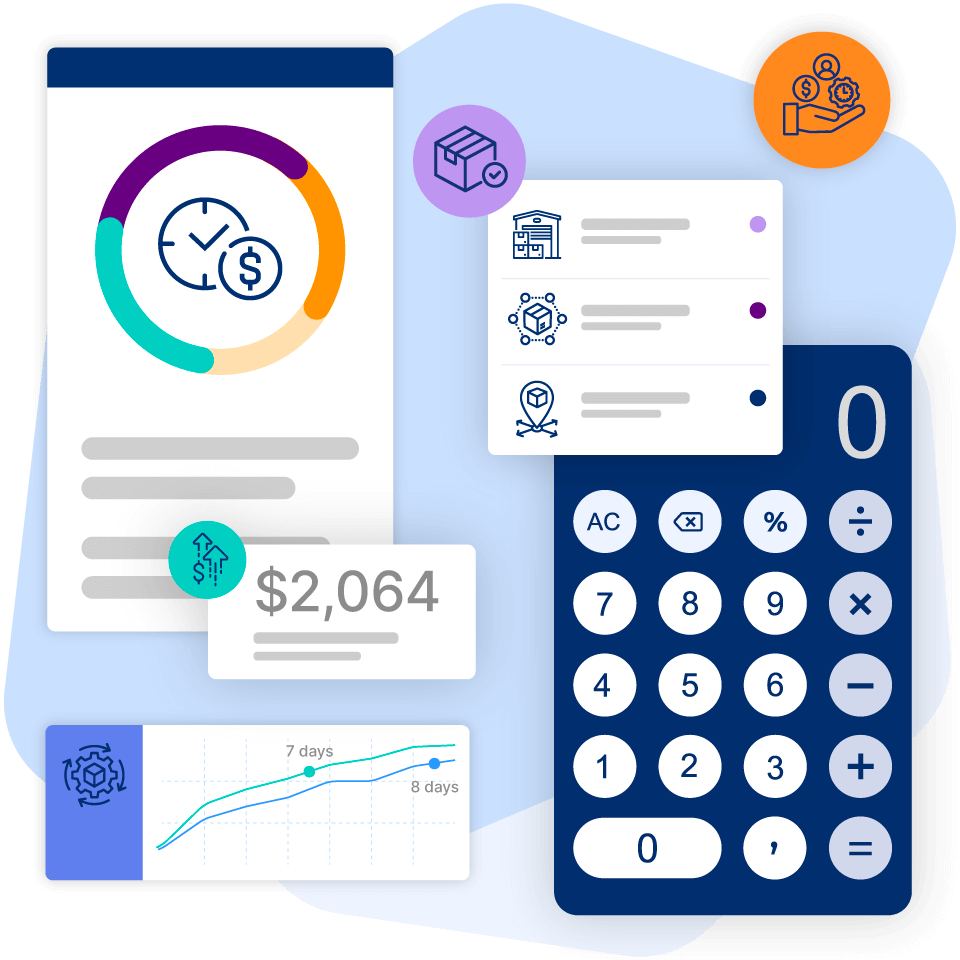
Check out Cin7’s ROI calculator to estimate your ROI of using Cin7 based on your current business costs and setup.
Simplify, Automate, and Save More with Cin7
A digital inventory management system is a smart investment for any modern product-based business seeking to enhance inventory accuracy, streamline workflows, and gain actionable insights to operate more efficiently.
However, before investing in this system, it’s essential to understand and be aware of all associated costs, both obvious and hidden, so they don’t inadvertently impact your bottom line.
Cin7 offers an all-in-one solution that simplifies and enhances inventory management with features such as real-time stock tracking across multiple locations and channels, automated order workflows, integrated warehouse management, and advanced reporting and analytics.
Our software offers full pricing transparency, with a clear breakdown of all costs upfront. This transparency makes it easier to manage your budget, plan for growth, and accurately assess the system’s value for your business.
Schedule a personalized demo of Cin7 today to see how effortless and cost-effective inventory management can be.
More from the blog
View All Posts
AI with purpose: Transforming inventory management in the age of hype
Read More
Tools for Inventory Management That Power Growth
Read More
